Linktree vs Your Own Website: When Each One Wins
Linktree is quick to set up, but a website gets found on Google and turns visitors into bookings. Here's when each one wins and how to use both.
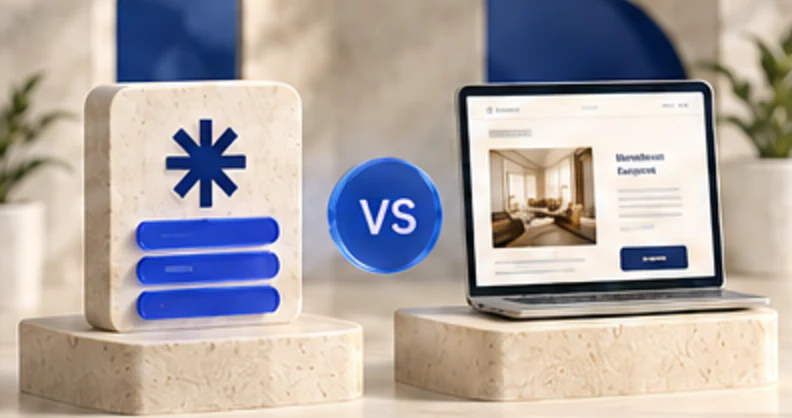
Use Linktree when you only need a quick list of links for followers who already know you. Use your own website when you want to show up on Google, explain your services, and turn visitors into bookings or sales. Most service businesses do best with both: a website as home base and a short bio link that points to it.
Linktree vs a website at a glance
The right choice depends on the job you need the page to do. A link page is a useful router. A website can become the place where people learn, compare and act.
| Factor | Linktree | Your own website |
|---|---|---|
| Google visibility | Limited because the page is short and lives on a shared platform | Stronger potential with useful service, location and resource pages |
| Cost | A free or paid subscription, depending on features | Domain, hosting or builder fees, plus setup and upkeep |
| Setup time | Often less than an hour for a basic page | Usually longer because you need structure, copy and pages |
| Ownership | You depend on the platform, its address and its rules | You control the domain, content, URLs and migration path |
| Booking and lead capture | Good for sending people to another booking or form tool | Can put forms, bookings, proof and service details in one journey |
When Linktree is enough
Linktree can be enough when nearly every visitor arrives from one social profile and needs a few obvious destinations. It works well for a creator sharing current content, a pop-up business listing this week's locations or a campaign that changes links often.
A basic page can do the job when:
The benefit is speed. You do not need to build a full website before giving social followers a clean route to booking, shopping or subscribing. The limit is depth. A list of buttons cannot explain a complex service or answer the questions that hold up a purchase.
When your own website wins
Your own website is usually the better home base when customers need to find you in search, understand your offer and trust you before taking action. A roofer may need pages for repairs, replacements and service areas. A consultant may need case studies, a clear process and a contact form. A salon may need service details, policies and booking.
An owned site gives you room for:
Ownership does not mean custom-coding everything. It means you control the domain and can move the content if the platform no longer fits.
The hybrid setup most small businesses should use
Use the website as the source of truth and the bio link as a short menu for social visitors. Put the most useful action first, then two or three secondary choices. A local service business might link to Book an estimate, View services and See recent work. The first two can lead into focused pages on the main site.
Keep campaign links measurable, retire expired offers and review the page every month. The link-in-bio page checklist can help you check the order, wording and mobile experience before publishing.
This setup keeps the fast social experience without giving up an owned destination. First Page supports link-in-bio pages, multi-page websites, funnels, a built-in blog, contact capture and analytics. Premium and Ultra plans support connecting a custom domain.
Linktree vs Wix or Squarespace
Linktree and website builders solve different problems. Linktree starts with a list of links. Wix and Squarespace start with a website that can contain service pages, navigation, forms and content.
Choose a link page when the destination is mostly a compact menu. Choose a website builder when the visitor must learn enough to book, request a quote or buy. If you only have time to maintain one, a simple website with a clear mobile homepage usually gives a service business more room to grow.
Do not judge by the monthly price alone. Check the current plan for custom domains, form limits, analytics, payment fees, scheduling integrations and exports. Prices and plan limits change. Also count the time needed to write and maintain the site.
Can you use a custom domain with Linktree?
Linktree supports custom domains on some paid plans, so confirm the current plan and setup rules with Linktree before buying. You can also point a domain to a bio page built with another tool or make a short links page part of your main website.
Whichever route you choose, register the domain in the business's name, protect the registrar account and record who controls renewals. A domain is the durable address you can carry to another platform. Without it, changing tools may also mean changing the link printed on signs, cards and packaging.
Does a Linktree page help SEO?
A Linktree page may appear for a brand name, but it is rarely the best page to rank for a competitive service. It has limited space, lives on a shared domain and mainly sends visitors elsewhere. That is useful for routing traffic, not for building a library of useful search pages.
Your own site can give each important topic a stable URL and a complete answer. A plumber can publish separate pages for drain cleaning and water heater repair. A real estate agent can explain buyer and seller services. Those pages can link to one another and to a clear booking step.
Do not build dozens of thin pages just to target keywords. Publish pages that answer real customer questions, then keep them accurate. SEO value comes from helpful content, a sound site and genuine authority, not from owning a domain by itself.
What the page should contain, and what to leave out
A useful bio page should identify the business, explain the value in one sentence and make the primary next step obvious. Use direct labels such as "Book a consultation" or "View current listings." The Instagram link in bio for service businesses guide shows how to match the page to common service-business journeys.
Include:
Leave out expired promotions, duplicate buttons, old calendars, unexplained affiliate links and every social account you have ever opened. Avoid vague labels such as "Learn more" when a specific action will fit. Test every destination on a phone and remove anything that delays the useful content.
Compare the real cost
The cheapest subscription is not always the lowest-cost choice. Count domain fees, plan upgrades, writing, design, accessibility, analytics, integrations and maintenance. Also consider the cost of moving later if you cannot export data or control redirects.
For example, a free link page may be sensible while a new business tests its offer. Once customers need service details, local search pages and lead capture, paying for a website can support work the link page cannot do. A large website is not automatically better, either. Five accurate pages with clear actions can beat 40 neglected ones.
Choose the smallest system your team can keep current. Review links, offers and forms on a schedule. Measure bookings, inquiries and sales instead of counting clicks alone.
FAQ
Is a website better than Linktree for a small business?
For most service businesses, yes. A website can rank on Google, explain services and prices, show reviews and take bookings. Linktree is a fast list of links for people who already follow you. Many businesses use both, with the website as the main destination.
Does Linktree help with SEO?
Only a little. A Linktree page is one short page on a shared domain, so it rarely ranks for your services. Your own website, with a page for each service, is what gets found in search.
Can I use my own domain with Linktree?
Linktree supports custom domains on some paid plans, so check its current pricing page. If you own a domain, you can also host a bio link page on your own site and keep all the traffic there.
Linktree or Wix, which should I choose?
They do different jobs. Wix builds a full website that can rank and take bookings. Linktree is a link list for social profiles. If you can only have one, a simple website usually brings in more customers.
Is Linktree still worth using?
Yes, as a router for social traffic. It's quick to update and works well for creators and campaigns. Just make sure the first link goes to your own website or booking page.