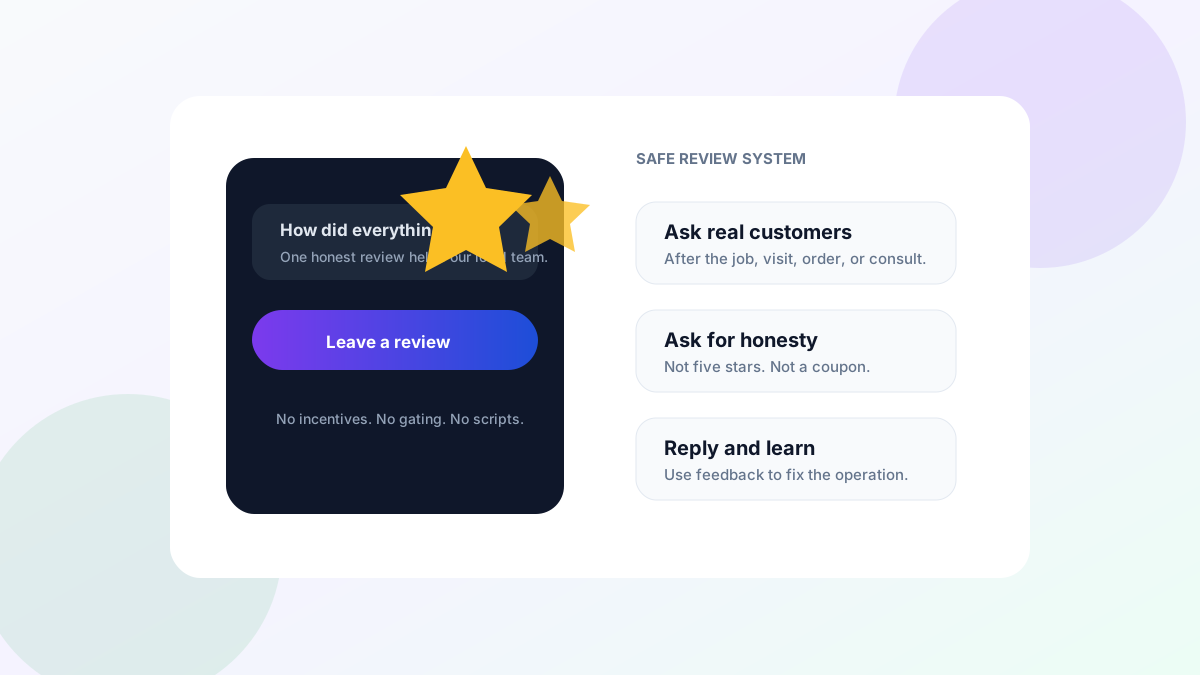
Ask for a Google review right after a job goes well, while the customer is still happy. Send a short text or email with your direct review link, thank them by name and mention the job. Ask every customer the same way, and never offer discounts or gifts for reviews, because Google doesn't allow it.
Get your Google review link and QR code
Use the direct link from the Google Business Profile you manage. It removes the need for a customer to search for the business, open the right listing and find the review button.
| Step | What to do |
|---|---|
| 1. Open the profile | Sign in to the Google account that manages the business and open your Google Business Profile. |
| 2. Choose Ask for reviews | Select the option for asking customers for reviews. The wording or placement can change, so use the review request option shown on your profile. |
| 3. Copy the link | Copy the review link and test it in a private browser window on both phone and desktop. Confirm that it opens the correct location. |
| 4. Make a QR code | Use the profile's available sharing tools or a trusted QR code tool to turn the same link into a code. Test the printed code before ordering cards or signs. |
| 5. Put it in the workflow | Add the link to the post-job text and email. Put the QR code on a receipt or leave-behind where a real customer can choose to use it. |
If you manage several locations, label and test each link. A review for the wrong location creates confusion for the customer and the local team. Do not use a QR code to hide a tracking or redirect chain that may break later.
Copy-paste scripts: 3 texts, 2 emails, 1 in-person line
Replace the brackets with real details. Ask for an honest review, not a positive or five-star review.
Text 1: after a completed service
Hi [First name], thanks for choosing [Business name] for [service] today. If you have a minute, would you share an honest Google review? It helps local customers know what to expect: [review link]
Text 2: after the customer confirms the result
Thanks, [First name]. I am glad [specific result] is working well. If you would like to share your experience, here is our Google review link: [review link]
Text 3: one follow-up
Hi [First name], one quick follow-up from [Business name]. If you have not had a chance and would like to leave an honest review of [service], here is the direct link: [review link]. Thank you again.
Send one follow-up, then stop. Repeated requests turn a thank-you into pressure.
Email 1: simple request
Subject: How did we do on your [service]?
Hi [First name],
Thank you for choosing [Business name] for [service]. If you have a minute, an honest Google review helps other local customers understand what working with us is like.
[Leave a Google review]
Thank you, [Name]
Email 2: after a project milestone
Subject: Would you share your experience with [Business name]?
Hi [First name],
Now that [project or milestone] is complete, we would value your honest feedback. You can leave a Google review here: [review link]. We read every review and use the feedback to improve our work.
[Share your feedback]
Thank you, [Name]
In-person line
“Thank you for choosing us. I will send your receipt with our Google review link. If you want to share an honest review, we would appreciate it.”
Do not stand over the customer while they write. Give them the link and space to decide.
When to ask
Ask after the service is complete and the customer has had a chance to see the result. For a same-day service, that may be minutes after completion. For a repair or project, a short delay can let the customer confirm that the work solved the problem.
Useful triggers include:
- A job marked complete after the customer walkthrough
- An appointment closed after service
- An order delivered or picked up
- A report, consultation or project milestone accepted
- A support issue resolved and confirmed by the customer
Do not ask only after praise. Use the same rule for every real customer in the workflow. If the customer reports a problem, handle it. Do not make fixing the problem conditional on changing or removing a review.
What Google doesn't allow
Google allows businesses to remind customers to leave reviews and share a direct link or QR code. Its guidance prohibits incentives offered in exchange for reviews, changes to reviews or removal of negative reviews (Google Business Profile help).
Avoid these practices:
- Discounts, gifts, loyalty points or drawing entries for a review
- Asking specifically for five stars or a positive review
- Review gating, where happy customers go to Google and unhappy customers go to a private form
- Writing the review for a customer or posting through a fake account
- Pressuring staff, family or vendors to review without an honest experience and proper disclosure
- Threatening a customer over criticism
The FTC also has rules covering deceptive reviews, paid sentiment, undisclosed insider reviews and review suppression (FTC guidance). Keep the process simple and check current platform policies and local rules when you change it.
Replying to reviews, good and bad
Reply to positive reviews with a short thank-you that sounds human. Do not repeat private job details. A useful response can mention the service in general and appreciate the customer's time.
For a negative review, pause before replying. Thank the reviewer, acknowledge the concern without arguing and offer a direct path to continue the conversation. Do not disclose account, health, payment or other personal information. If the review appears to violate platform policy, use the reporting process instead of starting a public fight.
Track repeated themes. Several comments about late arrival windows or unclear pricing point to an operating problem, not a reply-writing problem. Reviews can show where the handoff needs work.
Reviews support local visibility, but they are only one part of local SEO for home service businesses. The business still needs accurate profile details, useful service pages and a working follow-up process.
Automate the ask (CraftMail.ai)
CraftMail.ai can automate review requests after a completed service so the message goes out at the right moment. Start with one trigger, one approved text and one direct location link. Add a single follow-up only when the first message was delivered and the customer has not opted out.
Keep a human owner. That person should check broken links, delivery problems, replies and policy changes. Stop the automation when a customer reports an unresolved issue, then route the conversation to the team that can fix it.
For a managed approach that connects reviews with the wider website and local search program, WebElevated can run the system with you. Automation should make a clean process consistent. It should not scale pressure or hide unhappy customers.
FAQ
How do I get a direct link for Google reviews?
Open your Google Business Profile, choose the option to ask for reviews, and copy the link. You can also turn it into a QR code for receipts or cards.
Is it OK to offer a discount for a Google review?
No. Google's policies don't allow incentives for reviews, and asking only happy customers to review is also against the rules.
When is the best time to ask for a review?
Right after the job is done and the customer is satisfied, ideally the same day.
Should I reply to every Google review?
Replying to most reviews, especially negative ones, shows customers you care. Keep replies short and calm.