
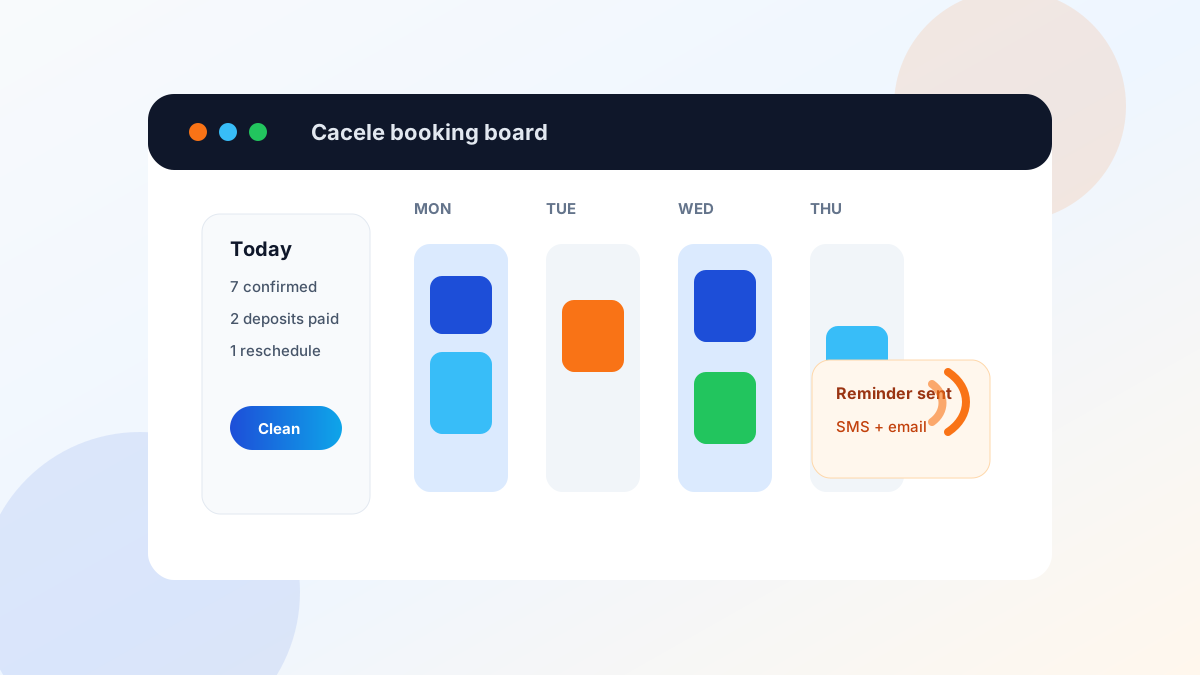
Appointment scheduling software for service businesses should let customers book online, take a deposit or card on file, send reminders and enforce a clear cancellation rule. Add buffers between jobs and intake questions so every booking arrives with the details you need. Those features do more to cut no-shows than any calendar design.
Must-have features checklist
Start with the booking problems that cost time or leave empty slots. A polished calendar is useful, but these controls do the real work.
| Feature | What to check before you buy | Why it matters |
|---|---|---|
| Service rules | Separate duration, price, staff and notice rules for each service | Stops customers from choosing an invalid slot |
| Deposits or card on file | Flat and percentage deposits, receipts and refund controls | Gives valuable appointments a clear commitment |
| Reminders | Email and text timing, confirmation and reschedule links | Helps customers act before a slot is lost |
| Cancellation policy | Policy shown before payment and saved with the booking | Prevents surprises and inconsistent enforcement |
| Buffers | Time before and after a service, including travel time | Protects staff from impossible back-to-back bookings |
| Intake questions | Required questions by service | Gives the team useful details before the appointment |
| Team calendar | Shared availability, permissions and staff assignment | Keeps the front desk and service team on the same plan |
| Follow-up | Thank-you, invoice, review and rebooking triggers | Moves the customer to the next step automatically |
Test the software with one real service before moving the whole calendar. The setup should work on a phone, show the full price and policy, and send the right details to both the customer and staff.
Deposits and card on file: how to set them up fairly
Use a deposit when an appointment reserves meaningful staff time, a room, equipment or travel. A card on file can fit shorter services where you want a cancellation safeguard without charging at booking. Full prepayment may suit classes, fixed packages or low-cost services with limited seats.
Set the amount in proportion to the loss. For example, a business might test a $25 deposit for a 60-minute appointment or 20 percent for a multi-hour booking. Those are examples, not universal rules. Check local rules, card-network terms and your payment provider's requirements before setting fees.
Show the customer five things before they confirm:
- The amount charged now
- The remaining balance and when it is due
- The cancellation notice period
- What happens to the deposit after a late cancellation or no-show
- How to cancel or reschedule
Put the same summary in the confirmation and reminder. Give staff a written exception rule for emergencies so two customers in the same situation receive the same treatment. Keep a record of the policy the customer accepted.
No-show and cancellation rules customers accept
A fair policy is short, visible and easy to use. It names the notice period, the fee or deposit result, and the reschedule path. It does not hide the rule at the bottom of a receipt after the booking is complete.
Plain copy works well: “Please reschedule at least 24 hours before your appointment. Cancellations inside 24 hours may forfeit the deposit. Use this link or call us at [number].” Adapt the wording and timing to the service, then check local rules.
Apply the policy consistently. Do not waive it for customers who complain loudly while charging everyone else. Track exceptions with a short reason so the owner can see whether the rule needs to change.
The best prevention is an easy reschedule path. A customer who can move an appointment in two taps is more likely to release the slot early enough for someone else to book it.
Reminders that reduce no-shows
Send an immediate confirmation, a reminder about a day before and a shorter same-day reminder when a missed appointment carries a real cost. Match the timing to the service. A week-long project visit may need earlier preparation than a 30-minute appointment.
Every reminder should include:
- Service, date, time and location
- Staff member when relevant
- Preparation or access instructions
- Amount due or deposit already paid
- A direct confirm or reschedule link
- A phone number for a problem the link cannot solve
Keep text messages short. Use email for longer preparation instructions. Do not send so many messages that customers learn to ignore them.
Buffers, intake questions and team calendars
Buffers make displayed availability match the real work. Add time for cleaning, notes, travel, parking or room reset. A mobile business may need different buffers by service area. A salon may need processing time that lets the stylist serve another client without double-booking equipment.
Intake questions should change by service. Ask only for information the team will use. A home service booking may need the address, issue, equipment type and access notes. A consultation may need the goal and relevant files. Avoid collecting sensitive information unless the workflow truly requires it and the system is appropriate for storing it.
Team calendars need one source of availability. Decide who can change hours, block time, reassign appointments and override rules. If the work involves routes, emergency dispatch or technician skills, compare field service vs appointment scheduling. The HVAC scheduling guide (existing) shows how one trade can separate emergency, maintenance and estimate requests.
Common mistakes
Choosing by design alone
A good-looking page cannot repair weak rules. Test deposits, reminders, intake and staff handoffs before judging colors and templates.
Opening every slot to every service
Different services need different people, time and preparation. Limit availability by service instead of showing one optimistic calendar.
Hiding the cancellation policy
Show the rule before the customer pays. Repeat it in plain language after booking.
Forgetting the next step
Completion should trigger the right follow-up, such as an invoice, care instructions, review request or rebooking reminder. A booking tool that stops at the appointment leaves manual work behind.
Moving the whole business at once
Build one high-value service first. Run it for two weeks, review no-shows and staff feedback, then copy the working pattern to other services.
FAQ
Should a service business take a deposit when customers book?
For longer or high-demand appointments, a deposit or card on file reduces no-shows. Explain the rule clearly at booking and in the reminder.
How do reminders reduce no-shows?
A reminder a day before and a few hours before gives customers a chance to confirm or reschedule, so you can refill the slot.
What is a fair cancellation policy?
State a notice period, what happens if it's missed, and how to reschedule. Apply it the same way to everyone and show it before the customer books.
What features matter most in appointment software?
Online booking, reminders, deposits or card on file, buffers, intake questions and a calendar your whole team can see.