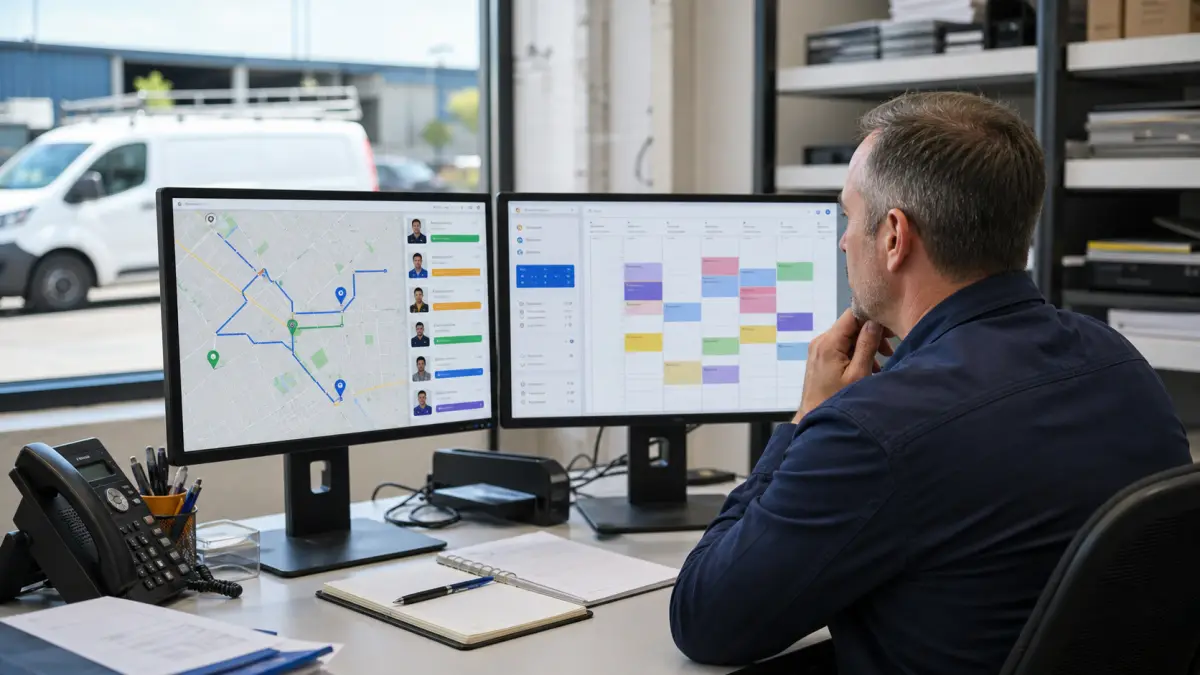

HVAC scheduling is not a generic calendar problem. A request for a spring tune-up, a no-cooling call in July, and a commercial rooftop-unit failure should not enter the same queue with the same questions or the same promise.
The right system does not merely expose open time slots. It decides what information to collect, which work can be booked automatically, what requires dispatch review, and how the customer moves from request to confirmed visit.
This guide lays out the workflow to automate first and the decisions that should remain with a dispatcher.
Start with three booking paths
Most HVAC teams can simplify intake by routing work into three paths.
1. Emergency or loss-of-service
Collect the service address, equipment type, symptom, when the issue started, and whether anyone in the property is at risk. Do not promise a technician or arrival time until the job has been checked against service area, on-call coverage, and current capacity.
A useful automation can mark the request urgent and notify the dispatcher immediately. It should not diagnose dangerous equipment conditions or invent availability.
2. Repair or diagnostic visit
Ask for the equipment type, approximate age, symptoms, access instructions, and preferred contact method. Offer only diagnostic windows that match the right technician group and travel area.
The confirmation should state what the visit includes, any diagnostic fee, and what happens if additional work is recommended.
3. Maintenance or estimate
Maintenance appointments are usually the safest place to begin true self-service booking. They are more predictable, easier to route, and less likely to create an operational surprise.
Estimate requests may need a short qualification step before a date is confirmed. System size, property type, decision-maker availability, and project timing can determine whether the job belongs with a comfort adviser or service technician.
Separate request time from promised arrival time
A common scheduling mistake is treating every calendar entry as a precise start time. HVAC work rarely behaves that cleanly.
Use appointment windows when travel and previous-job variability are material. Use exact start times for work that is genuinely predictable, such as a virtual consultation or an in-office equipment review.
The booking page should use the same language dispatch uses. If the team operates in two-hour arrival windows, do not show a customer a 10:00 a.m. appointment that the technician cannot reliably honor.
Build capacity rules before opening the calendar
Before a customer can book, define:
- Service ZIP codes or territories
- Technician skill groups
- Emergency, repair, maintenance, and estimate job types
- Expected duration for each job type
- Travel and cleanup buffers
- Daily emergency capacity
- Equipment or vehicle constraints
- Hours when dispatcher approval is required
In Calendefy, these rules become the guardrails around online booking. The goal is not to expose every empty space. It is to expose only the capacity the operation is prepared to fulfill.
Use a short intake form
Long forms reduce completion. Short forms without the right questions create follow-up work.
A good HVAC intake form asks only what changes routing or preparation:
- Name, phone, email, and service address
- Residential or commercial property
- Requested service type
- Equipment type
- Short symptom description
- Access or tenant instructions
- Preferred window
- Permission to text appointment updates
Photos can help with estimates or equipment identification, but they should be optional unless the team has a reliable process for reviewing them.
Confirm, remind, and prepare
The first confirmation should arrive immediately and repeat the important operational details: address, appointment window, service type, fee or deposit, and how to reschedule.
A practical reminder sequence is:
- Immediate confirmation
- Reminder one day before the visit
- Arrival or technician-on-the-way update
- Post-visit message with invoice, next step, or maintenance recommendation
Do not send reminders that conflict with the dispatch board. If a job changes, the customer-facing update and internal schedule should change together.
Connect scheduling to invoicing
The appointment should carry enough structured information to start the next workflow.
When the technician closes the job, the system should know the customer, service address, job type, approved work, and payment status. That makes it easier to create the invoice in Invoicefy, send a payment link, and trigger the right follow-up.
For replacement projects, define the deposit and progress-billing schedule before the booking page goes live. The customer should see the terms before entering payment information.
Decide what should stay human
Keep dispatcher approval for:
- Safety-sensitive or ambiguous calls
- Requests outside the normal service area
- Jobs requiring a specific certification or piece of equipment
- Commercial work with site-access requirements
- Warranty or membership exceptions
- Same-day requests when the board is already tight
- Any request where the automation lacks enough information
Automation should remove repetitive handoffs. It should not conceal uncertainty from the customer or the team.
A simple rollout plan
Start with maintenance and estimate requests. Run the workflow internally for a week, then open limited customer-facing capacity.
Review:
- Requests that needed manual correction
- Appointment types that ran longer than expected
- ZIP codes that created excessive drive time
- Reminder messages that generated questions
- No-shows, reschedules, and unconfirmed requests
- The handoff from completed job to invoice
Add repair booking only after the routing rules are stable. Add emergency intake last, with clear human escalation.
The stack around the calendar
Calendefy handles the booking rules, reminders, buffers, and calendars. Invoicefy handles estimates, deposits, change orders, and invoices. WebElevated can connect local search and paid campaigns to the intake path. The home-services page shows how those layers fit together.
The best first automation is not the flashiest one. It is the booking path the dispatcher can trust on the busiest day of the season.