The real value of a pet health tracker app is not the number of fields it offers. It is whether the app helps you reconstruct an accurate story when a veterinarian asks, “When did this start, and what changed?”
Owners commonly store pet information across paper folders, text messages, pharmacy emails, camera rolls, and memory. That system works until several people share care, a medication changes, or a symptom appears gradually. A tracker creates one chronological record—provided it is simple enough to maintain and portable enough to use outside the app.
The minimum useful pet record
Start with information that changes decisions or prevents repeated searching:
- pet name, species, breed or mix, date of birth or approximate age;
- veterinarian and emergency clinic contact details;
- allergies, sensitivities, chronic conditions, and prior procedures;
- current medications with the prescribed amount and schedule;
- vaccination and preventive-care dates;
- weight history and relevant laboratory or imaging reports;
- dated observations about appetite, water, bathroom habits, mobility, sleep, skin, breathing, and behavior;
- visit notes and follow-up instructions.
Do not turn routine tracking into surveillance for its own sake. Record enough to recognize a meaningful pattern without making every normal variation feel alarming.
Timeline beats dashboard
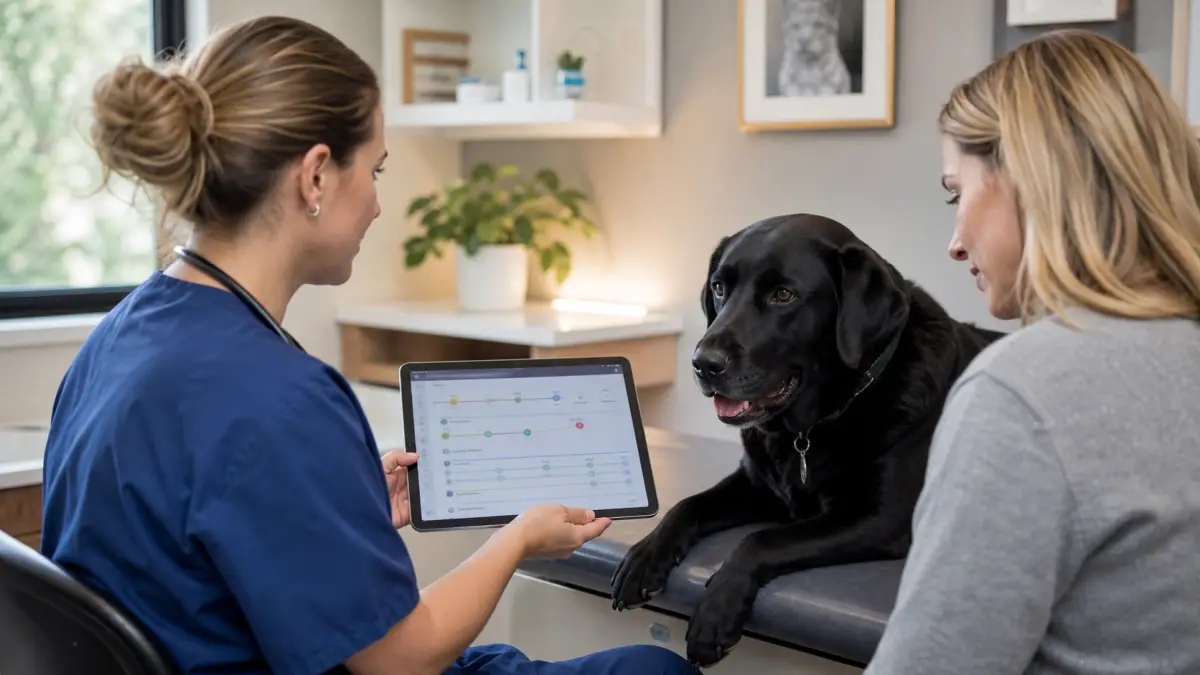
A dashboard can show the latest weight or upcoming reminder. A timeline answers harder questions: Was the new behavior present before the medication change? Did appetite improve for two days and then decline? Who administered the evening dose?
Every important entry should have a date and time, the person who recorded it, and optional context. Context might include a diet change, travel, boarding, unusual activity, a missed dose, or a stressful event. The app should keep original observations visible even after it creates a summary.
Reminders that help instead of overwhelm
Useful reminders are specific and actionable: medication at a scheduled time, a refill window, an upcoming preventive dose, or a follow-up appointment requested by the clinic. Weak reminder systems create generic alerts until everyone stops paying attention.
Look for:
- different schedules for different pets;
- confirmation by the person who completed the task;
- missed-dose visibility without guessing what to do next;
- refill lead time;
- time-zone handling during travel;
- the ability to pause or change a schedule while keeping history.
Never use an app suggestion to adjust a prescription. Confirm medication questions with the prescribing clinic.
Photos and videos need context
A photo can document a skin change, swelling, stool appearance, eye discharge, or the size of an area over time. A video can capture gait, coughing, breathing, or an intermittent behavior that may not occur during an appointment.
Add the date, what you noticed, and a simple scale reference when appropriate. Keep the original file. Avoid filters, heavy compression, or annotations that cover the area. If lighting changes, note it rather than assuming color differences represent a clinical change.
Portability is a core feature
Your pet's record should not be trapped in one product. Before committing, test whether you can export a readable PDF or structured file, share only the relevant date range, and retain attachments. Ask what happens if the company closes, changes pricing, or removes a feature.
Also review account controls. Household members may need different access. A pet sitter needs instructions, not every private note. A clinic may need a short timeline, not years of routine reminders.
Build a vet-ready summary
Before a non-emergency appointment, prepare one page or screen with:
- the main concern in plain language;
- the first observed date and current trend;
- frequency and duration;
- relevant eating, drinking, bathroom, sleep, and activity changes;
- current medications and recent changes;
- three representative photos or videos;
- questions you want answered.
AAHA's senior pet guidance is a useful reminder that changes noticed at home can be important context for the veterinary team.
How to choose
Test an app for one week before importing years of history. Log a medication, a photo, a weight, and a symptom observation. Invite a second caregiver. Export the record. If any of those tasks is confusing, the friction will be worse during a stressful event.
If you want AI-assisted organization, read the safe AI pet care app guide. For a focused observation workflow, use the dog symptom tracker. The winning product is not the one with the longest feature list. It is the one that helps your household maintain a trustworthy, shareable timeline.